The SteelSeries Apex Pro Mini review is for players weighing adjustable magnetic switches against a space-saving 60% layout. Its per-key actuation settings and two-action keys offer room to tailor input behavior to different games.
Apex Pro Mini Review Summary
The quick verdict
1,000+ ratings
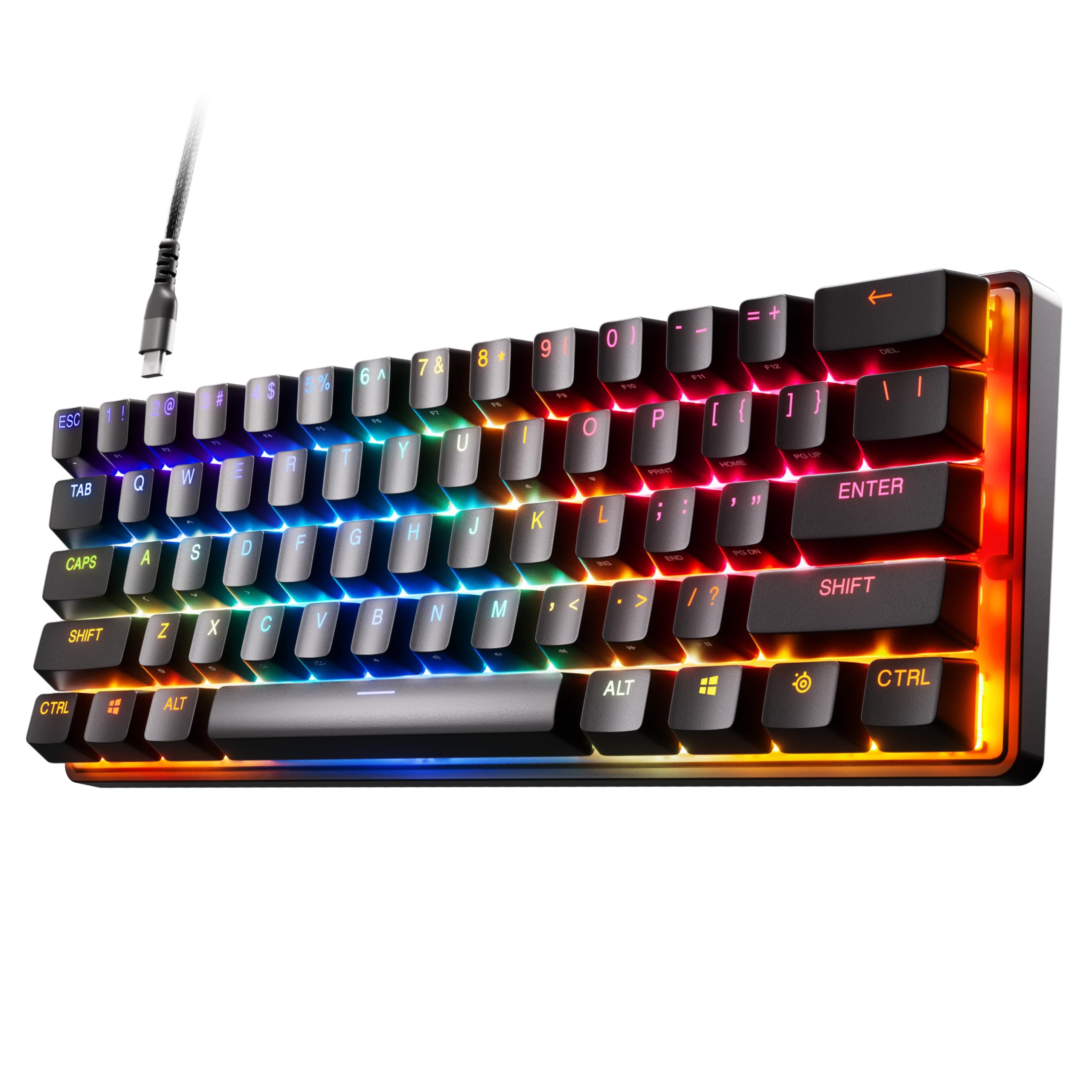
Read Amazon ReviewsSteelSeries Apex Pro Mini
A compact gaming keyboard for players who want adjustable magnetic actuation and programmable dual actions in a 60% layout.
- OmniPoint 2.0 adjustable HyperMagnetic switches.
- 40 per-key actuation levels from 0.1 to 4.0mm.
- Rapid Trigger dynamically activates and deactivates keys based on travel distance.
- Two actions can be programmed to one key using different press depths.

Pros
- Per-key actuation offers a wide range of trigger-depth customization.
- Rapid Trigger adjusts activation and deactivation dynamically with key travel.
Consider before buying
- A 60% layout may require adjustment if you rely on a conventional full-size keyboard arrangement.
- Some software features are not supported on Mac OS, so Mac users should confirm that the controls they need are available.
Read the full review summary
The Apex Pro Mini pairs OmniPoint 2.0 adjustable HyperMagnetic switches with 40 per-key actuation levels, ranging from 0.1 to 4.0mm.
That lets you set different trigger depths for different keys, which may suit players who want fine control over movement and ability inputs.
Its 60% form factor reduces the keyboard's footprint while retaining what SteelSeries calls full-size functionality.
The detachable USB-C connection, aluminum top plate, and two-action key programming make it a flexible fit for a gaming setup, though the compact layout is best for buyers comfortable adapting to fewer dedicated keys.
The buying factors
Apex Pro Mini Scorecard
Editorial scores reflect listed features and buyer fit; they are not laboratory measurements or customer ratings.
Actuation customization
Forty per-key settings across a 0.1–4.0mm range provide extensive control over trigger depth for different inputs.
Compact desk footprint
The 60% form factor is designed to save space, while the product retains full-size functionality.
Input flexibility
Two actions can be assigned to one key at different press depths, offering an extra way to map game commands.
Connection versatility
The detachable USB-C connection is convenient for setups that benefit from a removable cable.
Platform and software fit
Compatibility spans Windows, Xbox, PlayStation, and Mac OS X, but some software features are not supported on Mac.
Layout adaptability
The 60% layout prioritizes compactness, so it is a better fit for players willing to adapt to fewer dedicated keys than for buyers who want a conventional full-size layout.
Key Features and Specifications of Apex Pro Mini
- OmniPoint 2.0 adjustable HyperMagnetic switches.
- 40 per-key actuation levels from 0.1 to 4.0mm.
- Rapid Trigger dynamically activates and deactivates keys based on travel distance.
- Two actions can be programmed to one key using different press depths.
- 60% form factor with full-size functionality.
- Premium aluminum top plate and detachable USB-C connection.
- Compatibility includes Windows, Xbox, PlayStation, and Mac OS X; some software features are not supported on Mac OS.
Pros and Cons of Apex Pro Mini
Pros
- Per-key actuation offers a wide range of trigger-depth customization.
- Rapid Trigger adjusts activation and deactivation dynamically with key travel.
- Two-action key programming supports more than one input on a single key.
- Compact 60% form factor is paired with full-size functionality.
Consider before buying
- A 60% layout may require adjustment if you rely on a conventional full-size keyboard arrangement.
- Some software features are not supported on Mac OS, so Mac users should confirm that the controls they need are available.
- A USB port is required for compatibility.
Who Should Buy Apex Pro Mini?
Good fit
Buy the Apex Pro Mini if you want to tune trigger depth key by key. Its 40 actuation levels and Rapid Trigger behavior give players direct control over how key presses activate and reset during play.
It also suits players who want to map two actions to one key and keep their keyboard footprint compact.
The detachable USB-C connection and compatibility across Windows, Xbox, PlayStation, and Mac OS X support varied setups, subject to the Mac software limitation.
Who should skip it
Skip it if you need a conventional full-size layout with dedicated keys readily available. The 60% form factor is the defining space-saving choice, so make sure its compact arrangement works for your everyday tasks as well as gaming.
Mac users who depend on SteelSeries software features should confirm support for the specific controls they need before choosing this keyboard.
Apex Pro Mini Review Analysis
Actuation control for different inputs
The 40-level range lets you tailor actuation per key, so movement keys can be set for lighter presses while other inputs use deeper presses.
Rapid Trigger's dynamic activation and deactivation also follows travel distance rather than a fixed point, a setup aimed at players who want control over repeated inputs.
Making a 60% layout work
The small form factor can free desk space, and the product pairs it with full-size functionality.
Its two-action keys provide one way to assign additional commands without requiring a larger footprint, but buyers should still consider whether a compact arrangement suits their regular typing and navigation habits.
Software and platform considerations
The keyboard is compatible with Windows, Xbox, PlayStation, and Mac OS X, with SteelSeries Engine available for Windows 8.1 or newer and Mac OSX 10.13 or newer.
A USB port is required, and Mac OS does not support every software feature, so check your intended configuration before relying on software controls.
Build and connection
A premium aluminum top plate adds a metal element to the build, while the detachable USB-C connection is useful when you want to remove or replace the cable.
These are practical setup details alongside the keyboard's main focus on adjustable input behavior.
Alternatives to Apex Pro Mini
Computer Keyboards alternative
500+ ratings
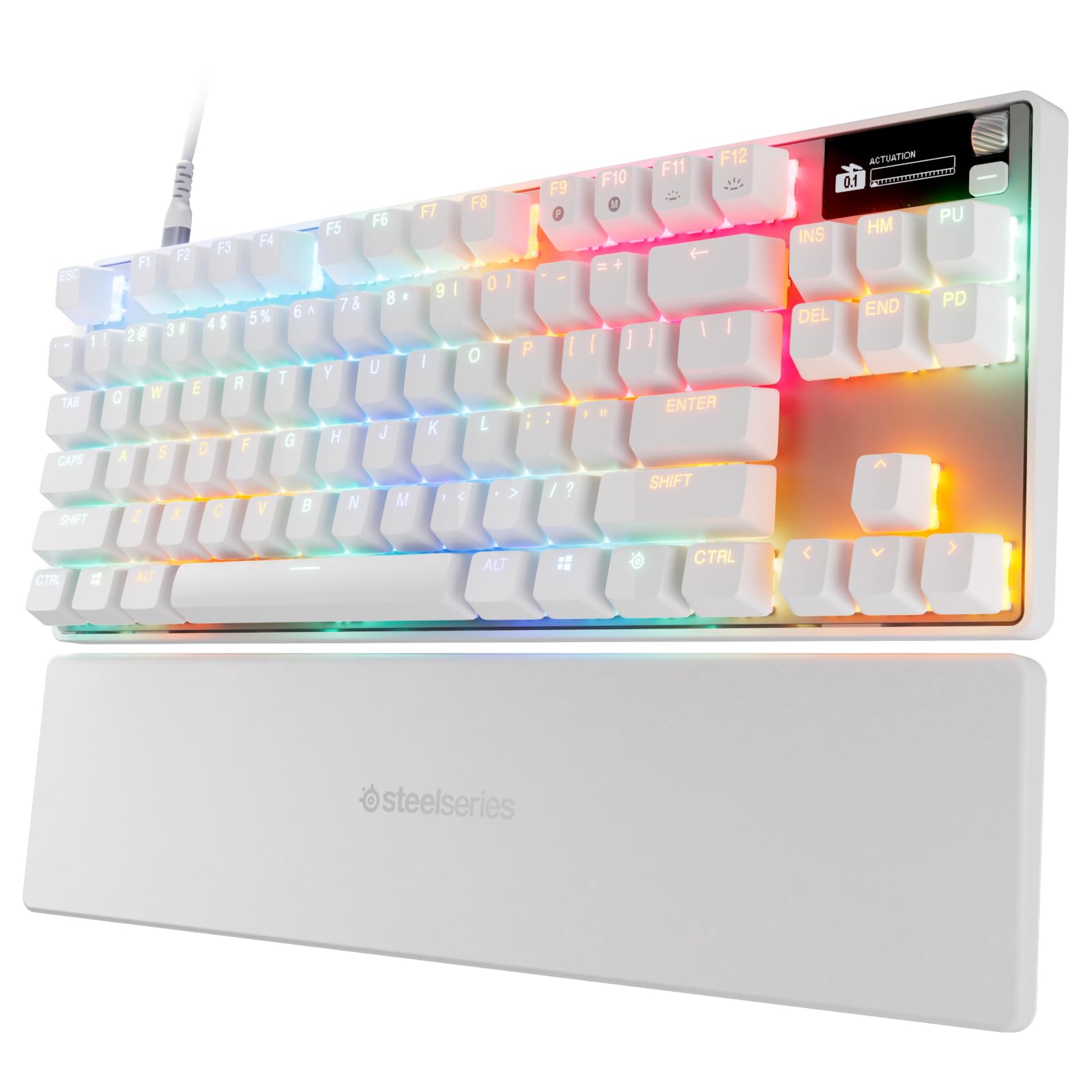
Read Amazon ReviewsSteelSeries Apex Pro TKL Gen 3 Gaming Keyboard
Choose the Apex Pro TKL Gen 3 if you want its Rapid Tap, Protection Mode, OLED display, and Quickset presets.
Choose the Apex Pro Mini if you prefer its 60% form factor, adjustable OmniPoint 2.0 actuation, and detachable USB-C connection.
- The Apex Pro TKL Gen 3 uses OmniPoint 3.0 magnetic switches with 40 actuation levels, plus Rapid Tap, Protection Mode, an OLED display, and Quickset auto-presets.
- The Apex Pro Mini offers a 60% layout, adjustable OmniPoint 2.0 actuation, and a detachable USB-C connection.
Computer Keyboards alternative
4,000+ ratings
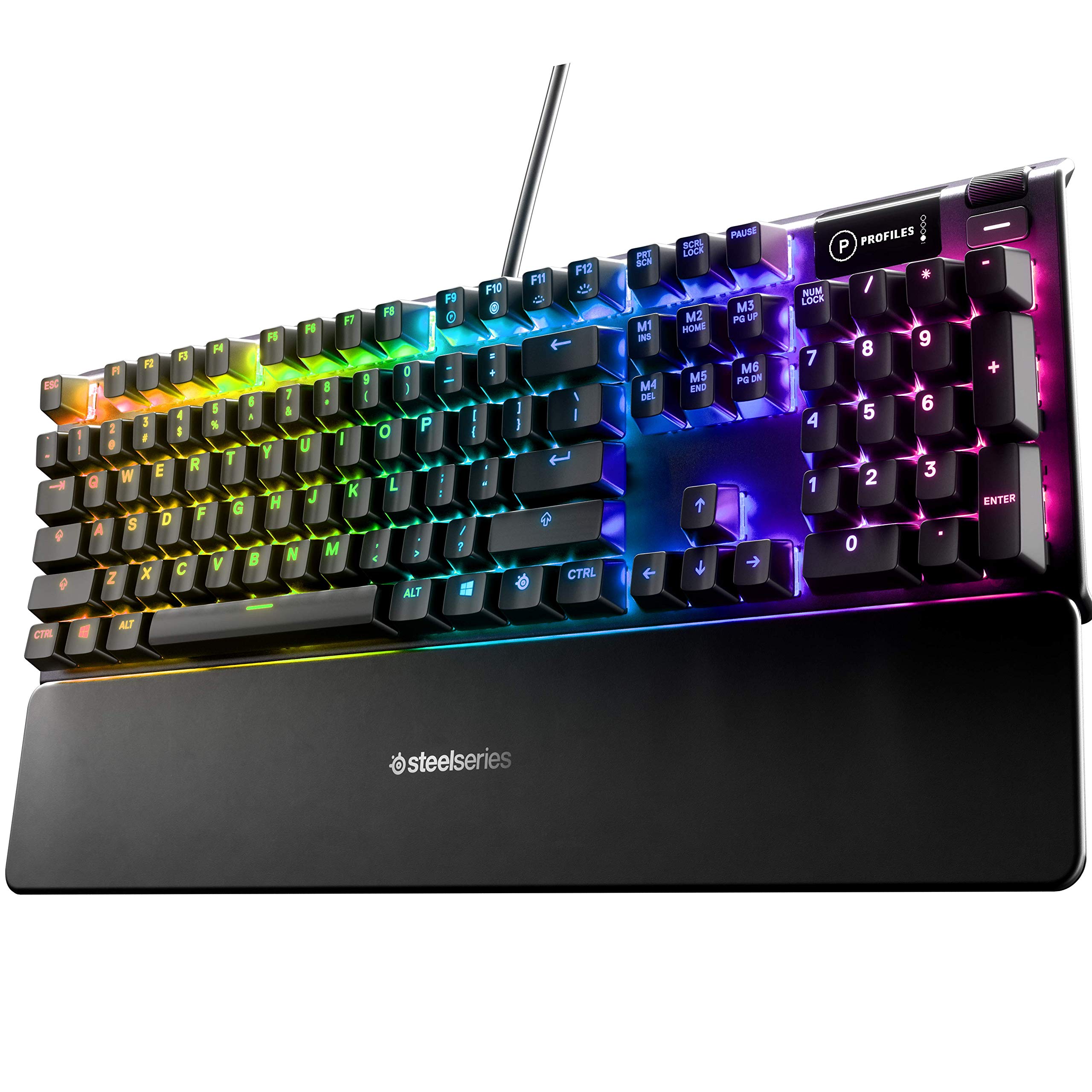
Read Amazon ReviewsSteelSeries USB Apex 5 Hybrid Mechanical Gaming Keyboard
Choose the Apex 5 if you prefer a tactile, clicky hybrid switch and want an OLED display and included magnetic wrist rest.
Choose the Apex Pro Mini if adjustable magnetic actuation, two-action key programming, and a 60% form factor better match your setup.
- The Apex 5 uses hybrid blue switches with tactile clicks, an OLED smart display, per-key RGB illumination, and a magnetic wrist rest.
- The Apex Pro Mini combines a 60% form factor with adjustable magnetic actuation and a detachable USB-C connection.
Is Apex Pro Mini Worth It?
The SteelSeries Apex Pro Mini is worth considering if adjustable actuation, Rapid Trigger, and two-action key programming matter more to you than a conventional keyboard layout.
Its 60% form factor, detachable USB-C connection, and aluminum top plate round out a compact gaming-focused design.
For Mac setups, confirm that the SteelSeries Engine features you want are supported; for any setup, make sure a compact layout suits your workflow.
If those tradeoffs fit, the Apex Pro Mini offers a specialized set of input controls in a space-saving format.
Your review at a glance
1,000+ ratings
Read Amazon ReviewsSteelSeries Apex Pro Mini
A compact gaming keyboard for players who want adjustable magnetic actuation and programmable dual actions in a 60% layout.
- OmniPoint 2.0 adjustable HyperMagnetic switches.
- 40 per-key actuation levels from 0.1 to 4.0mm.
- Rapid Trigger dynamically activates and deactivates keys based on travel distance.
- Two actions can be programmed to one key using different press depths.