A thoughtful desk upgrade can make everyday work feel more comfortable, organized, or connected. These 13 home office tech gifts span audio, networking, computer accessories, and small business tools.
Consider how the recipient works each day: the devices they use, the space they have, and whether a useful upgrade or a creative tool would mean more.
13 Home Office Tech Gift Ideas for Remote Workers and Small Business Owners
SABRENT USB-C 6-Port Hub & M.2 SSD Dock

- Combines USB ports, power delivery, networking, and an M.2 slot.
- Offers HDMI 2.0 output for an external display at up to 4K@60Hz.
- Supports an M.2 SATA or NVMe SSD.
Best Gift For: A laptop user who wants more desk connections and portable storage.

JLab Go Work Wireless Headset (1 Pack)

- Connects wirelessly to two devices at once with Bluetooth multipoint.
- Includes a cable for wired listening.
- The boom microphone rotates out of the way for listening.
Best Gift For: Someone who moves between a laptop and phone for calls.
FIFINE T669 USB Microphone Kit

- USB connection supports plug-and-play recording on a PC or laptop.
- Includes an adjustable boom arm stand.
- A double pop filter helps reduce popping sounds.
Best Gift For: A home worker who records voiceovers, podcasts, or online calls.
HUANUO FlowLift Dual Monitor Stand

- Provides full-motion adjustment for monitor positioning.
- Built-in cable management guides wires along the arms.
- Raises screens off the desktop to free workspace.
Best Gift For: A desk worker with two compatible monitors and a suitable wooden desk who wants adjustable positioning.
BESTEK PD20W Power Strip Tower
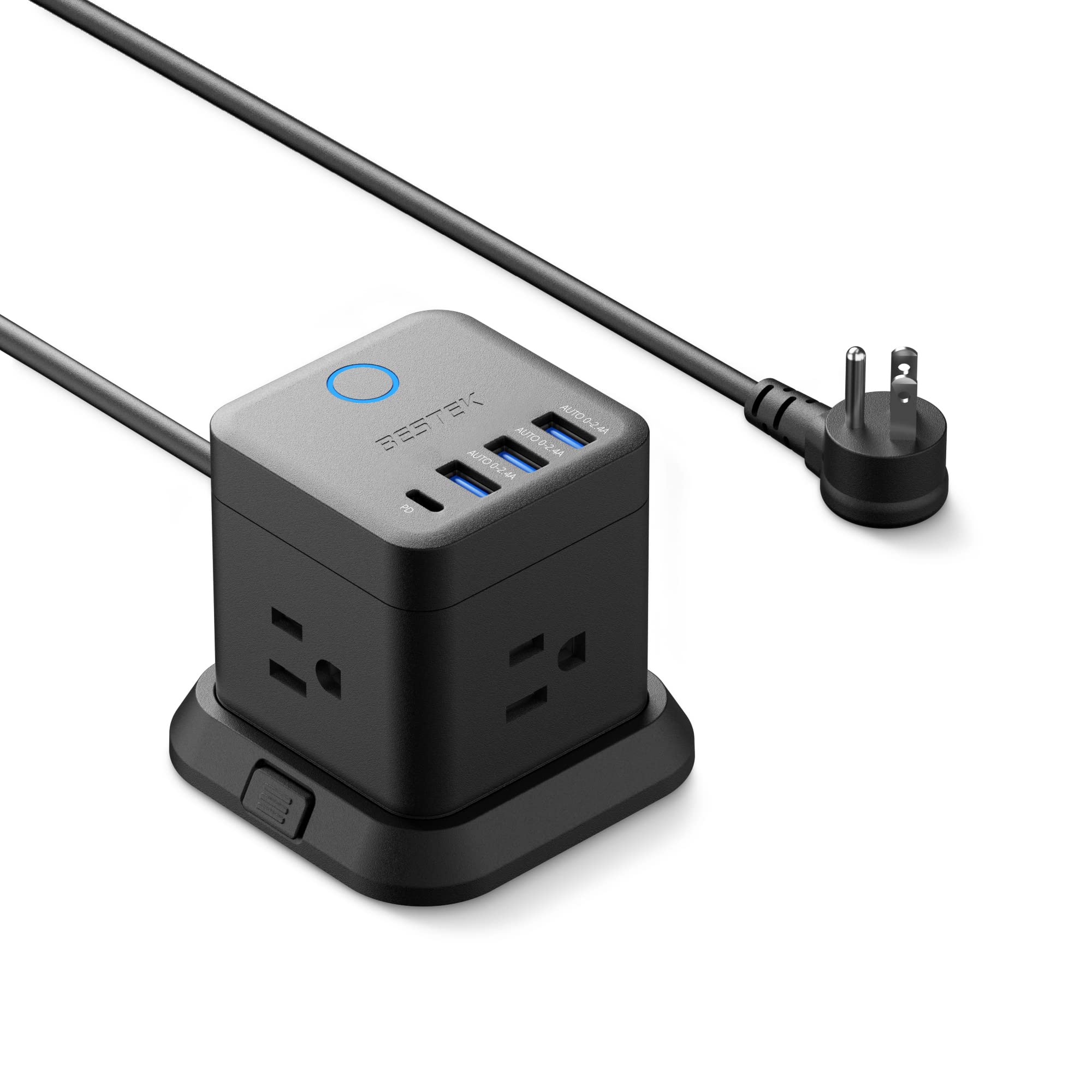
- Has three outlets, three USB-A ports, and one USB-C port.
- Can be mounted on a desktop, under a table, or on a wall.
- The 45-degree flat plug is designed to fit narrow spaces.
Best Gift For: Someone who wants a compact charging point on or beside a desk.
Nelko Bluetooth Thermal Shipping Label Printer
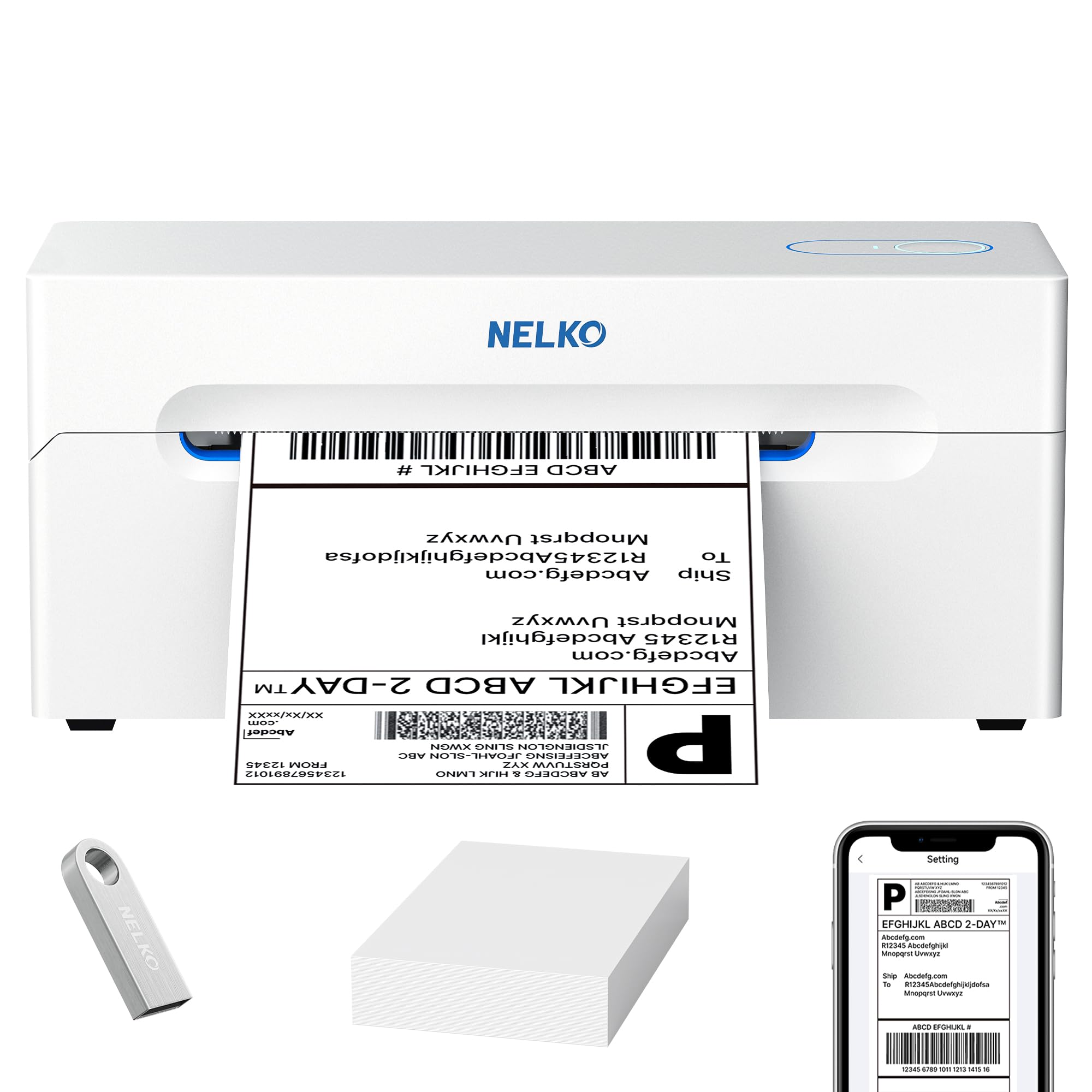
- Thermal printing avoids ink and toner.
- Supports wireless printing through the NELKO app.
- Prints shipping labels for e-commerce, warehouse management tags, product price stickers, and classroom teaching labels.
Best Gift For: Small businesses and individuals printing shipping labels or product price stickers.
TP-Link Archer AXE75 WiFi 6E Router

- Tri-band WiFi 6E includes a 6 GHz band.
- Supports a OneMesh network with a compatible extender.
- Includes VPN server and client support.
Best Gift For: A home worker looking to refresh a network for video calls and streaming.
SteelSeries Apex Pro Full-Size Wired Keyboard

- Offers adjustable actuation across 40 per-key levels.
- Lets a key perform two programmed actions.
- The OLED display shows information from games and apps.
Best Gift For: A home office user who enjoys configurable PC gaming.
Audioengine A2+ Wireless Desktop Speakers

- Designed for nearfield listening on a desk.
- Can stream wirelessly from phones, tablets, and computers.
- Real wood cabinets have a hand-finished surface.
Best Gift For: Someone who enjoys music, podcasts, or video calls at their desk.
Nulaxy Pull-Out Height Adjustable Laptop Stand

- Height adjusts from 1.2 to 20 inches to support sitting or standing use.
- The retractable pull handle makes posture changes quick.
- Folds down to save space when not in use.
Best Gift For: A laptop user who switches between sitting and standing at a desk.
MagSafe-Compatible 5000mAh Slim Wireless Power Bank

- Designed for MagSafe-compatible iPhones and cases.
- Provides wireless charging and USB-C output.
- Its 5000mAh battery can provide up to one full charge for an iPhone 16.
Best Gift For: An iPhone user who wants backup power during commuting or travel.
SABRENT USB-C & USB-A SD Card Reader

- Includes both USB-C and USB-A connectors.
- Dual slots support SD and Micro SD cards.
- Plug-and-play access requires no drivers or software.
Best Gift For: A laptop user who often transfers photos or files from memory cards.
MAONO Wave T5 Mini Wireless Lavalier Microphone

- Includes four one-tap voice filters.
- Noise cancellation has three modes and 14 levels.
- The charging case provides 40 hours of total use.
Best Gift For: A home office creator who records videos, podcasts, or online lessons.
1. Start with the Workday: home office tech gifts
For home office tech gifts, begin with the recipient’s actual routine. Someone who spends the day on video calls may appreciate a headset or microphone, while a seller packing orders could make daily use of a label printer.
Think about which small friction point comes up repeatedly rather than shopping for a dramatic desk makeover.
Look at the devices already on the desk: laptop, phone, monitors, and any accessories they rely on. A hub, card reader, or speaker can be a natural fit when it works with that existing setup.
If you are unsure, ask what they connect most often or check the device model and available ports.
Space and habits matter as much as features. A compact accessory can suit a shared table or a changing work location; a monitor stand or larger audio setup needs room and a recipient willing to rearrange.
Choose something that matches their workspace rather than creating another item to store.
2. Balance the Budget with Everyday Use
Set a comfortable spending range before comparing features. A smaller desk accessory can make a thoughtful gift when it solves a daily annoyance, and a more substantial upgrade makes sense when the recipient has asked for it or will use it throughout the week.
Check actual prices as you shop because they can change.
For a modest budget, focus on one clear task: organizing charging, moving files, or adding a more comfortable laptop position. For a larger gift, consider whether the recipient needs the rest of the setup too.
A monitor mount depends on compatible screens and desk conditions, while a router may need a compatible modem and network arrangement.
Some gifts carry follow-up costs or setup steps. Check whether the recipient needs additional cables, storage, mounting hardware, labels, or other compatible accessories.
For equipment they will depend on for work, make sure the recipient can return or exchange it if compatibility or fit does not work out.
3. Personalize home office tech gifts
Home office tech gifts feel more considered when they reflect a detail of the recipient’s work. Match a microphone to someone who records lessons, a card reader to a person who handles camera files, or a flexible stand to someone who changes posture during the day.
The useful clue is often a task they mention repeatedly.
Presentation can make practical equipment feel personal. Add a handwritten note that names the workday problem you hope it helps with, or pair the device with a small desk item they already enjoy using.
Keep packaging simple and easy to open, especially if you are sending the gift directly to their home or workspace.
For a team member or business owner, include a short note recognizing what they do: keeping customer calls moving, fulfilling orders, or making helpful content. Avoid making the gift feel like a work demand.
A choice that supports their own preferred routine is more thoughtful than implying they should work longer or faster.
4. Make Compatibility Part of the Choice
Before buying, check current product details against the recipient’s computer, phone, monitors, and operating system. USB-C can mean different capabilities across devices, and a screen mount depends on both monitor mounting support and desk fit.
If you cannot confirm a match, favor a gift with an easy exchange path.
For networking or audio equipment, consider how the recipient uses their existing setup. Confirm that a router fits their internet arrangement and that a microphone or speaker connects the way they prefer.
When the fit is uncertain, a gift receipt or a quick conversation can prevent an otherwise useful idea from becoming a hassle.
Check the dimensions of the desk and available storage space before choosing a larger accessory. Also review what comes in the box and whether any required extras need to be purchased separately.
These quick checks help keep a well-intended upgrade practical for the person who receives it.
5. Plan Ahead, Even for Practical Gifts
For a planned celebration, order with enough time to inspect the package and confirm the gift is complete. Check current delivery estimates at checkout, especially during busy shopping periods, and leave time for an exchange if a connector, color, or size is not right.
Avoid promising a delivery date before seeing the estimate.
For a last-minute gift, choose something easy to explain and simple to wrap or send digitally with a note. If you are uncertain about compatibility, a gift card to a retailer the recipient uses can let them choose the exact device.
A brief personal message can make that option feel considered rather than generic.
When the gift arrives, keep the receipt and packaging until the recipient has checked fit and setup. You can offer to help with a simple connection or installation if they would welcome it, but let them decide.
Useful technology should make their workday feel more their own.